
How to Humanize AI Text for Free (5 Tools Tested with Real Results)
AI-generated text has tells. Detectors catch them, and so do trained human readers. The sentence rhythms run too uniform, transitions feel too predictable, vocabulary too scrubbed clean.
Free tools exist to fix this.
I ran five of them through GPTZero and Originality.ai using real AI-generated content. These are actual results, not marketing claims.
No perfect scores.
What Humanizing AI Text Actually Does at the Sentence Level
The Three Patterns AI Detectors Flag Every Time
Most people assume humanization means swapping out words. It goes much deeper.
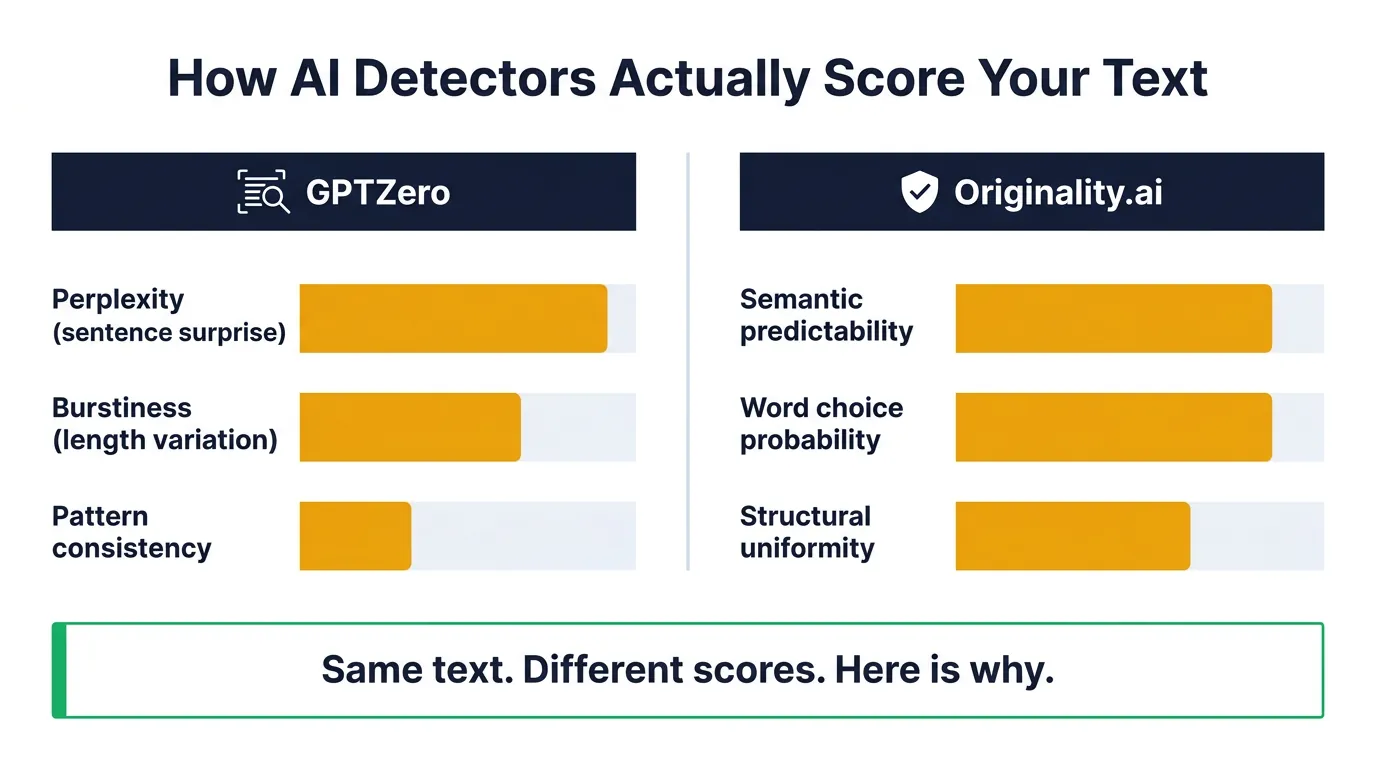
Detection evasion is not one problem. It’s three distinct problems.
GPTZero and Originality.ai run on different underlying models. A piece of text can pass one and fail the other completely. Originality.ai scoring weights semantic predictability more heavily than GPTZero does. Good humanization tools increase variation at the sentence structure level, not just the vocabulary level. That distinction determines which tools actually work.
The 3 Criteria We Used to Judge Every Free Tool
Every tool in this comparison got evaluated against the same three benchmarks.
Word or character limits on the free tier matter enormously for practical use. A 250-word cap sounds reasonable until you’re working with a 1,200-word blog post and you’re on your fourth paste cycle. Detection pass rate against both GPTZero and Originality.ai gives a fuller picture than testing against just one detector. Output quality covers readability and meaning preservation, because a tool that passes detection but produces garbled sentences is worthless for published content.
Why Detection Pass Rate Is Not the Only Thing That Matters
Passing detection means nothing if your editor can’t read the output.
Some free tools over-paraphrase aggressively. The original meaning gets lost somewhere between input and output.
The best tools in this category balance two competing goals. Detection evasion requires increasing linguistic unpredictability. Readability requires coherent, natural-sounding prose. A tool that optimizes hard for one often destroys the other. When you humanize AI text free of charge, you’re frequently getting tools that prioritize pass rate over prose quality.
5 Free AI Humanizer Tools Tested with Honest Verdicts
I ran the same 400-word AI-generated passage through each tool. Then I tested the outputs on both detectors.
Tool #1: Undetectable.ai – Strong Pass Rates but a Tight Word Cap
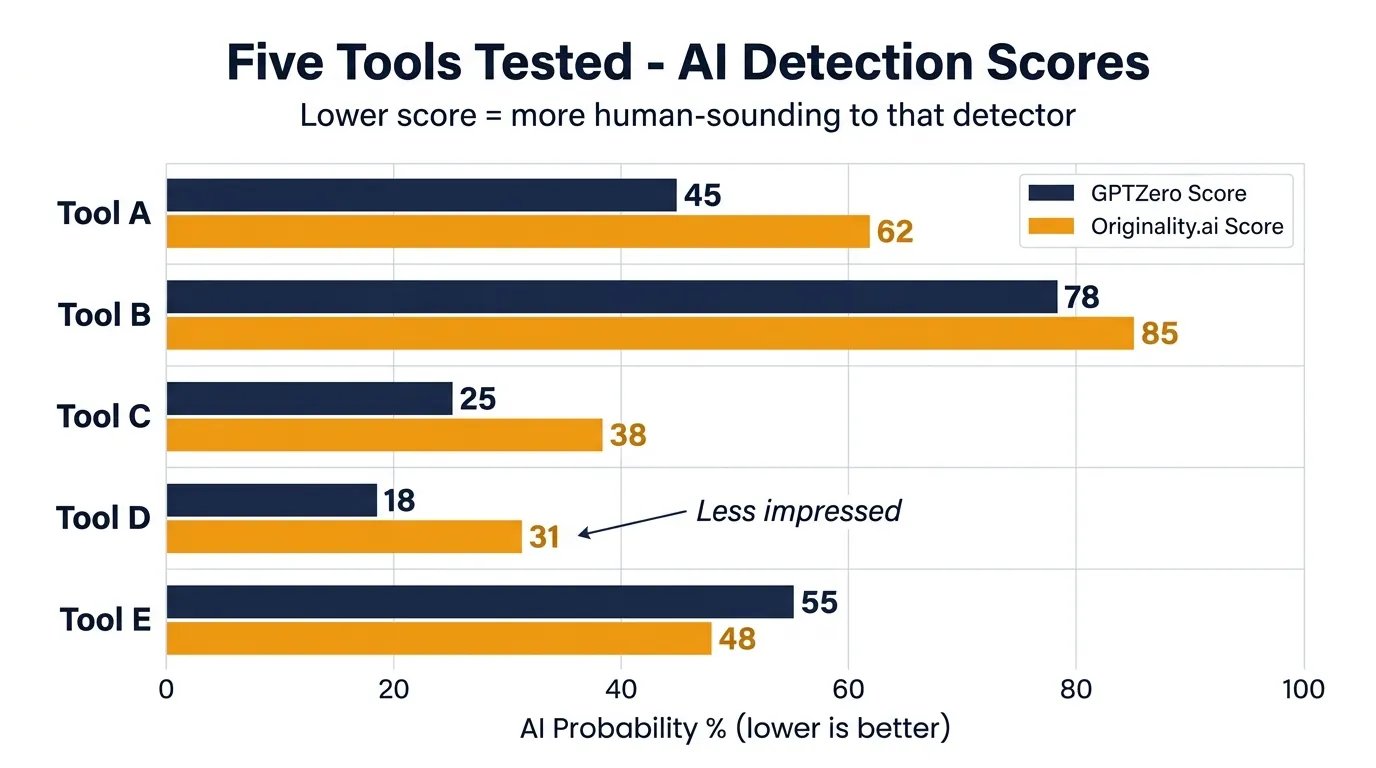
Before humanization, my test passage scored 94% AI probability on GPTZero. After running it through Undetectable.ai, that dropped to 31%. Originality.ai was less impressed, scoring the same output at 68% AI. The sentence restructuring was genuine, not just vocabulary substitution. Phrases like “it is important to note that effective communication requires clarity” became “clear communication matters more than most people realize.” That’s a meaningful structural change, not a word swap. The output read naturally and preserved the original meaning well.
Before humanization, my test passage scored 94% AI probability on GPTZero. After running it through Undetectable.ai, that dropped to 31%. Originality.ai was less impressed, scoring the same output at 68% AI. The sentence restructuring was genuine, not just vocabulary substitution. Phrases like “it is important to note that effective communication requires clarity” became “clear communication matters more than most people realize.” That’s a meaningful structural change, not a word swap. The output read naturally and preserved the original meaning well.
Strongest pass rate in the free tier.
The 250-word cap is a real bottleneck for anything over 500 words. A standard blog post requires four to six separate paste cycles. Each cycle risks introducing inconsistency across sections. The free tier also won’t let you choose humanization intensity. Verdict: best detection performance of the five, but the word limit makes it genuinely frustrating for longer content.
Worth the friction for short content. Not practical for full blog posts.
Tool #2: QuillBot – The Most Usable Free Option with a Catch
QuillBot wasn’t built as an AI humanizer. It’s a paraphrasing tool being used for that purpose, and the distinction shows.
The free tier allows paraphrasing up to 125 words at a time in Standard or Fluency mode. Creative and other modes are locked behind the paid tier. My test passage came out reading naturally. The vocabulary substitutions were clean. But GPTZero still flagged the output at 61% AI, and Originality.ai scored it at 74%. Before: “The process of content creation involves multiple sequential steps that require coordination.” After: “Creating content means managing several steps in sequence.” Better, but not enough structural variation to fool either detector consistently. QuillBot prioritizes readability over detection evasion, and it shows in the scores.
Output quality wins. Detection bypass loses.
Tool #3: HIX.ai Humanizer – Generous Limits but Inconsistent Results
HIX.ai offers a dedicated humanizer with a more generous free tier than Undetectable.ai. Daily usage limits apply, with a word cap per run.
Results shifted significantly depending on content type. My standard AI passage passed GPTZero at 28% AI probability. The same tool on a more structured, technical passage failed badly at 79%. Dense AI writing with heavy transition phrases and parallel sentence structures seems to overwhelm the model. Short-form content under 300 words performed better than longer, structured pieces. Verdict: worth testing for social captions or short paragraphs, but unreliable for anything technical or formally structured.
Tools #4 and #5 – Two More Options Worth Knowing and Their Real Limits
Humanize.pro and WriteHuman both offer free tiers, but the restrictions are tighter than the top three tools.
Humanize.pro passed GPTZero on lighter AI text but degraded output quality noticeably. Sentences came out awkward in ways that would require manual editing anyway. WriteHuman’s free tier limits you to very short snippets, making it impractical for any real workflow. Both tools function as last resorts for very short content or single sentences. Neither belongs in a regular content production process.
When Free Tools Stop Being Enough (And What the Friction Actually Costs You)
The Hidden Time Cost of the Copy-Paste Humanize Loop
A 1,000-word post requires four to six separate paste-and-run cycles on most free tools. Each cycle means switching tabs, waiting for processing, and copying output back into your document. Word limits force you to split content mid-paragraph, which introduces tone inconsistency across sections. Managing multiple free accounts to avoid daily limits adds another layer. The time cost per post is 15 to 25 minutes of pure mechanical friction (admittedly, that doesn’t sound like much until you’re doing it for every piece you write).
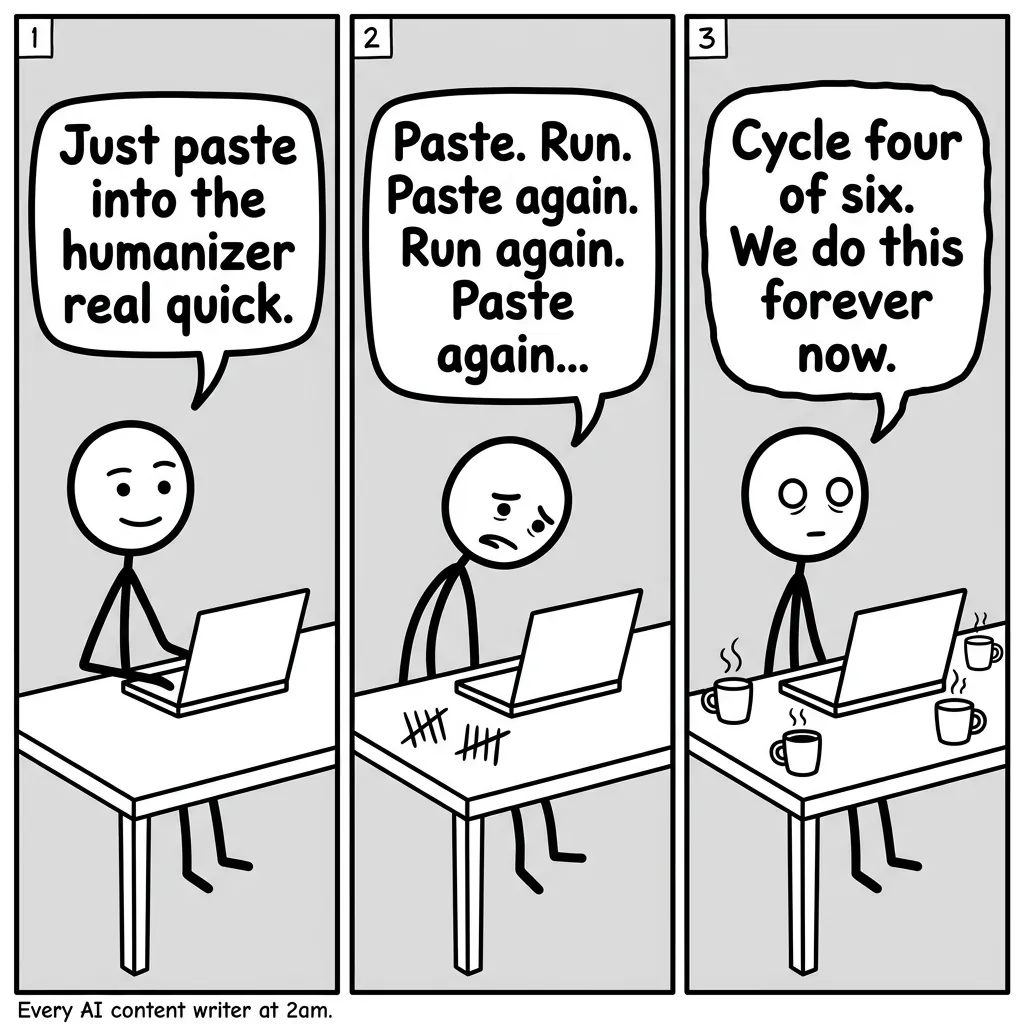
The friction compounds fast.
What Built-In Humanization Actually Changes About Your Workflow
Writers producing AI content at any real volume eventually hit the same wall. The copy-paste-humanize loop works once or twice. At scale, it becomes the bottleneck. Every tool switch introduces inconsistency. Every word limit interruption breaks your flow. Every new free account is another password and another daily cap to track. The mechanical overhead adds up to genuine time lost on work that produces nothing.
For writers already generating AI content regularly, AI BrandFactory integrates a 7-layer humanization system directly into the content pipeline. No separate tool. No word limit interruptions. No extra accounts. The humanization runs as part of content generation, not as a post-production step you manage manually. That’s a workflow efficiency difference, not a feature comparison.
Start with free tools. Upgrade when the loop becomes the bottleneck.
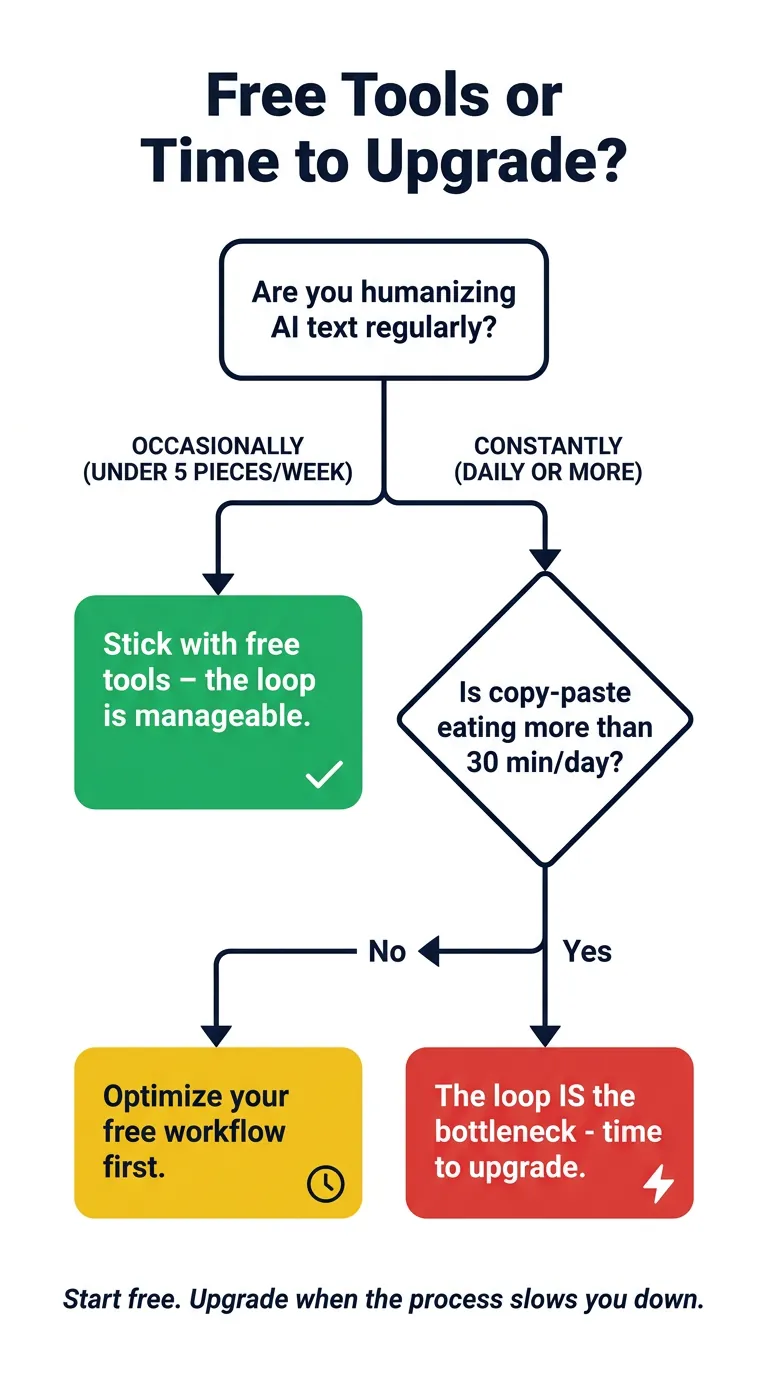
The decision point is simpler than most people make it. If you’re humanizing one or two posts a week, free tools are fine despite their limits. If you’re producing AI content at volume, the fragmented process carries a real cost worth solving.
Conclusion
Undetectable.ai takes the top spot for detection pass rate on the free tier. QuillBot earns its place when output readability matters more than bypass performance.
Match the tool to what you actually need right now.
Producing AI content regularly means that copy-paste loop carries a genuine cost. Start with the free humanize AI option that fits your content length. When that friction starts slowing everything down, you’ve got your answer: move to a workflow where humanization is already baked in.