
AI Content Marketing for Solopreneurs: The Complete Playbook
You’re doing the work of six people. No marketing team, no agency, no buffer. Just you and an impossible content calendar.
Trying to post everywhere at once is the first failure mode. Also the most common one.
This guide walks through a four-stage AI-powered system covering research, writing, design, and distribution. One person can run the whole thing in 90 minutes a day.
The system works because it’s built around constraints. Your time is the variable it optimizes for.
Start here.
The Solopreneur Content Problem Nobody Talks About Honestly
Most solopreneurs don’t have a content problem. They have a system problem.
You start strong on Instagram. Then LinkedIn looks promising, so you split your attention. Then somebody says YouTube is the only channel that matters, and suddenly you’re producing three formats with zero consistency across any of them.
This is the pattern that repeats constantly. You post in bursts, then vanish for two weeks. The algorithm punishes the gap. Your audience forgets you exist. You return with a flood of posts, burn out again, and run the same cycle.
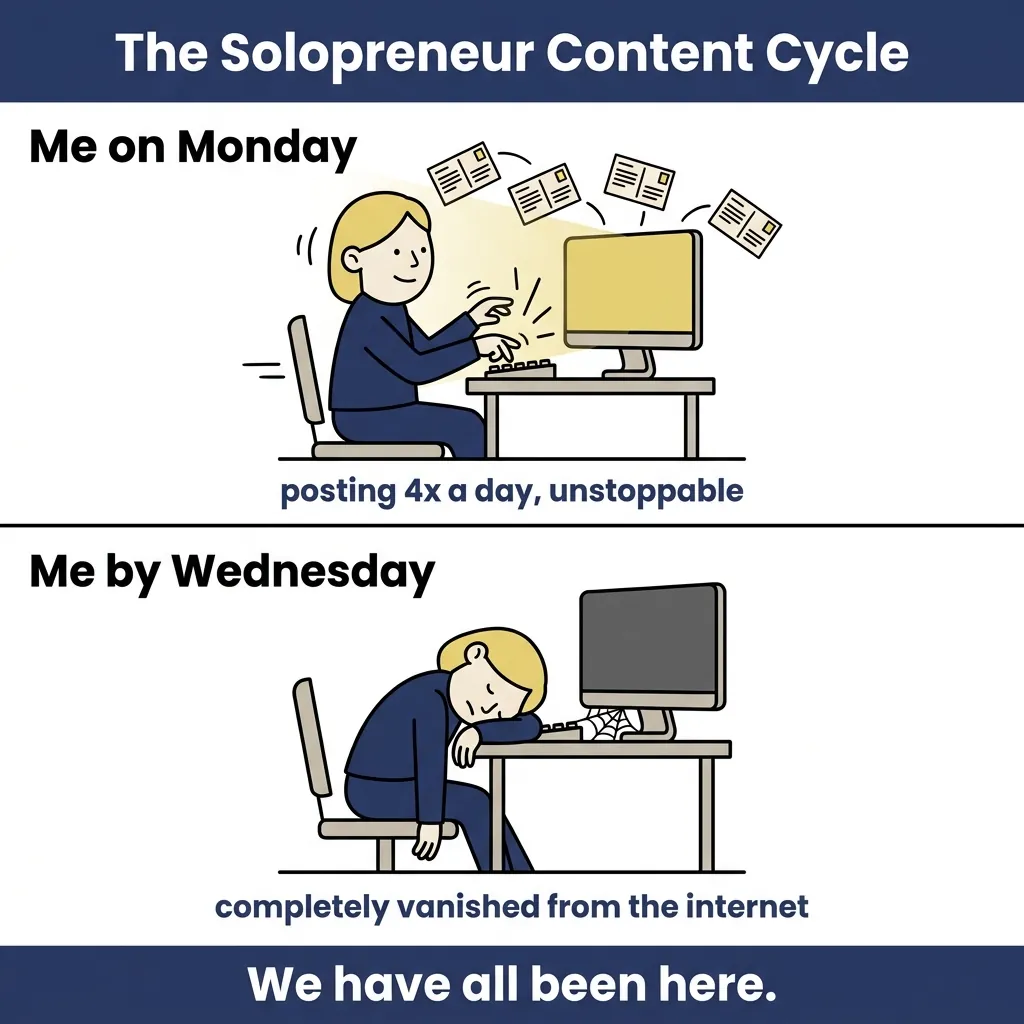
The content isn’t bad – the structure is broken. No system means every piece starts from scratch, which means every week feels like the first week.
The burnout isn’t from the work. It’s from the friction.
Stop.
A content system doesn’t mean more output. It means the same output with a fraction of the decision-making. Once the structure exists, the daily question shifts from “what do I create?” to “which stage am I running today?”
Why Being Everywhere at Once Is the Fastest Way to Burn Out
Spreading across five platforms doesn’t multiply your reach. It divides your quality. Each platform carries its own format, rhythm, and audience expectation. Trying to serve all of them simultaneously on one person’s bandwidth guarantees mediocrity across the board.
Channel prioritization is the fix. Pick two platforms. Own them before you even think about a third. Depth on two channels beats a shallow presence on six, every single time.
The Real Cost of Not Having a Content System
Inconsistent publishing doesn’t just hurt your numbers. It erodes trust. Audiences follow people they can count on, and algorithms reward accounts that post on a predictable cadence.
A repeatable system removes decision fatigue. You stop asking what to make and start executing a workflow. That shift alone recovers hours every week.
Build Your Foundation with Content Pillars Before Touching Any AI Tool
Content pillars aren’t a buzzword. They’re the structural decision that makes every other content decision easier.
A pillar is a core topic category your content consistently returns to. It maps to your audience’s problems, your expertise, and your business goals.
Without pillars, your content is just a pile of one-off ideas. With them, each piece connects to a larger body of work that builds authority over time. Pillars also make AI prompting dramatically faster – more on that shortly.
Three to five pillars is the right range for a solopreneur.
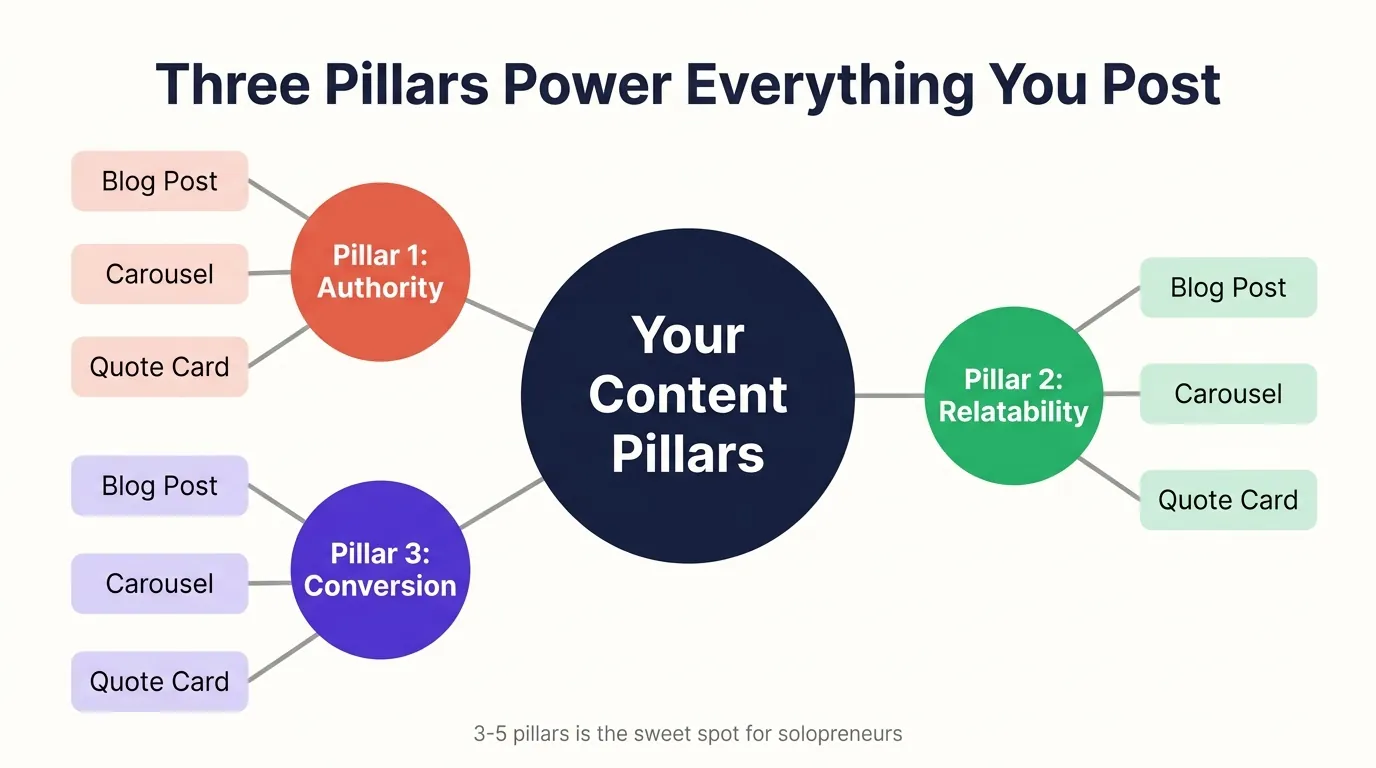
Three pillars is enough to start.
How to Choose the Three Pillars That Drive Everything You Create
Your pillars should map to the three core problems your audience pays to solve. Not the problems they complain about – the ones they spend money on. Start by listing every question you get asked repeatedly. Group them into themes. The three themes that surface most often become your pillars.
Each pillar then becomes a category that every piece of content traces back to. A blog post, a carousel, a LinkedIn article – all of it belongs to one pillar. That traceability is what turns scattered content into a cohesive body of work.
Why Your Content Pillars Are the Only Brief Your AI Tools Ever Need
Pillar definitions act as standing context for every AI prompt you write. Rather than explaining your audience, your tone, and your focus each time, you reference the pillar and the tool already has the frame. Consistent pillar framing is the first layer of brand voice consistency in AI-generated output.
Define your pillars once. Use them everywhere.
Stage One and Two: Research and Writing in Under 45 Minutes
Research and writing don’t have to eat up half your day.
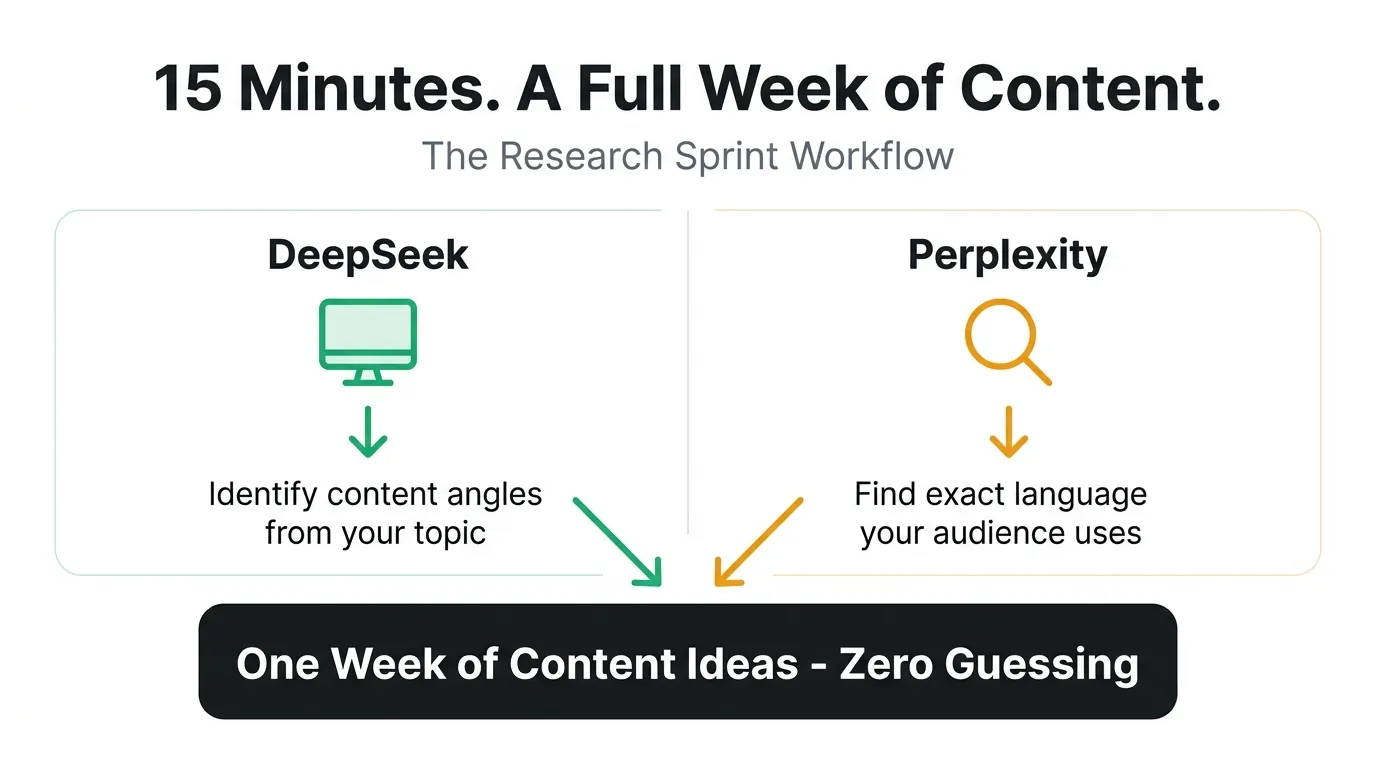
The research stage fits into 15 minutes when you pick the right tools. DeepSeek surfaces trending angles and competitive gaps in your niche fast. Perplexity answers the exact questions your audience is already searching for. Run both in one session. You’ll walk away with a week of content angles before your coffee gets cold.
How DeepSeek and Perplexity Find Your Best Content Ideas in 15 Minutes
DeepSeek is where I go first when I want to see what’s gaining traction in a topic area. It spots trending angles and shows you what competitors are writing about, and what they’re missing. Perplexity works differently, pulling real-time answers to specific questions, which means you’re seeing the exact language your audience uses when they search.
Combine both tools in a single 15-minute session and you have more content angles than you can publish in a week. The key is running this research against your content pillars, not random trending topics. Pillar-filtered research produces ideas you can actually execute with authority.
Fifteen minutes. One week of angles. No guessing.
Writing Long-Form Content with Claude Without Losing Your Voice
Brand voice drift is the most common complaint I hear about AI-written content. The draft sounds competent but generic, like it could have been written for anyone. The fix isn’t better prompts. It’s pillar context.
Claude produces strong first drafts when you give it your pillar definition, your target reader, and two or three examples of your own writing. Feed it that context once and save it as a reusable prompt. Claude handles structure and depth. You handle the final pass for voice and specificity.
If you’d rather not manage Claude alongside separate brand voice tools and a blog writer, AI BrandFactory pulls all three into one workspace, Blog Writer, Infographic Generator, and Voice Profile, so brand consistency is built into the generation process rather than edited in afterward.
That’s the gap between a tool and a system.
The writing stage takes 30 minutes for a strong first draft. Add 15 minutes for your final voice pass. Done in under an hour, start to finish.
Stage Three: Design That Looks Professional Without a Designer
Visual content isn’t optional. Table stakes. Every major platform demands it, and the good news is you don’t need design skills or a design budget to produce professional-quality visuals. Two tools and a workflow. That’s it.
One blog post gives you everything you need.
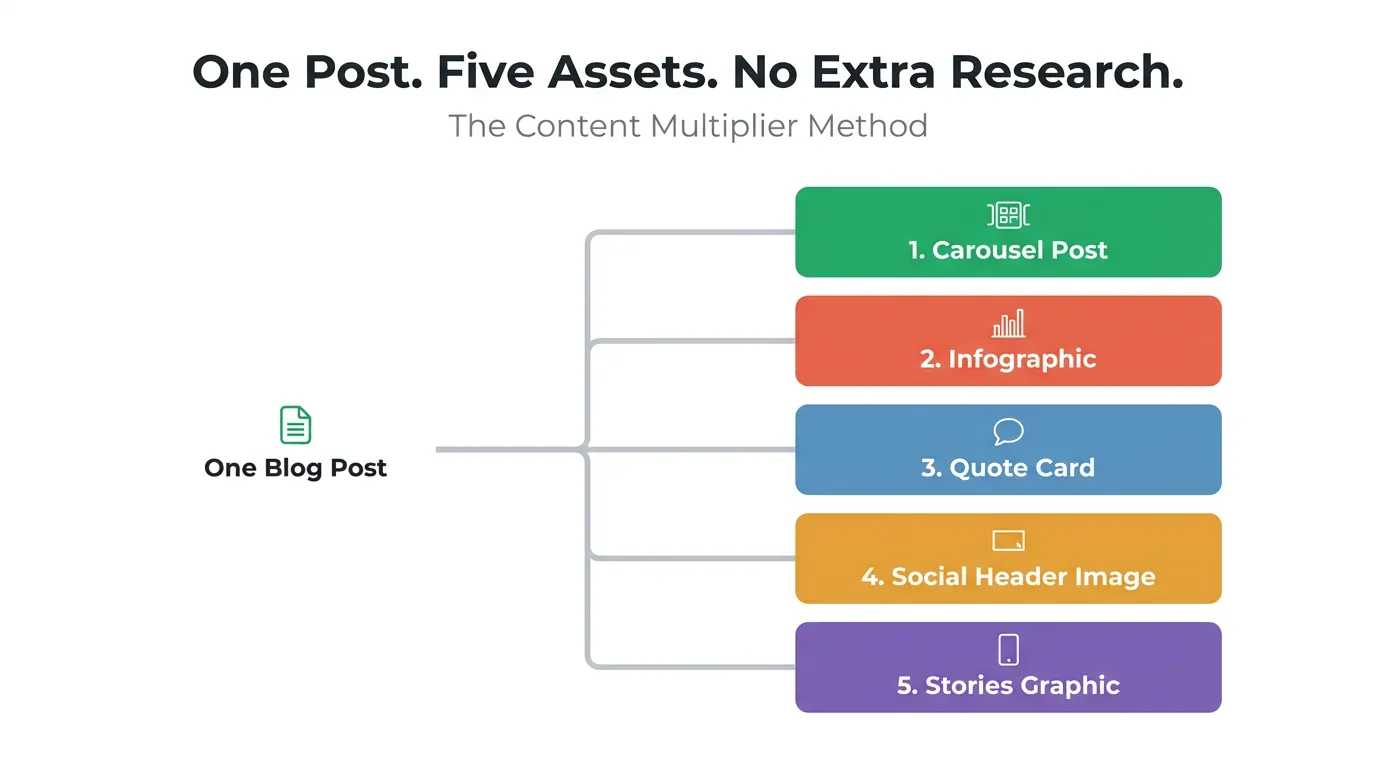
How Gemini and Canva Turn One Blog Post into Five Visual Assets
A 1,500-word blog post holds enough material for five distinct visual formats: a carousel breaking down the main framework, an infographic summarizing the key data, a quote card pulled from the strongest line, a social image for the header, and a short-form graphic for Stories or Reels.
Gemini generates custom images that cut stock photo dependency completely (you describe what you need, it produces something specific to your content). Canva handles layout, branding, and template consistency across every format without requiring any design expertise.
Set up your brand kit in Canva once, your colors, fonts, and logo, and every visual you produce from that point stays on-brand automatically.
The Visual Repurposing Workflow That Multiplies Your Output
Repurposing isn’t reposting. Each format serves a different consumption context: a carousel works for LinkedIn, an infographic works for Pinterest, a quote card works for Instagram. The same core idea lands differently depending on format and platform.
A structured repurposing checklist removes the creative friction of deciding what to make next. You finish the blog post, open the checklist, and produce the five formats in sequence.
The design stage takes 20 minutes when the workflow is in place. Without it, you’re looking at two hours of second-guessing.
Stage Four: Distribution and Scheduling on Autopilot
Content without distribution is a journal entry. Getting it in front of people is the actual job.
That setup investment pays back within the first week.
Why Tailwind and Buffer Are the Last Tools You Set Up and the First That Pay Off
Pick based on your primary channels. If Pinterest and Instagram drive your traffic, Tailwind is your main tool. If LinkedIn and X are where your audience spends time, Buffer is the stronger fit. Most solopreneurs end up running both – Tailwind for visual platforms, Buffer for text-heavy ones. Before content reaches either tool, AI BrandFactory manages the creation and brand consistency layer inside one workspace, so you’re passing along publish-ready content rather than drafts that still need formatting for each platform. That handoff stays clean when the creation side is systematized.
The One Thing Automation Cannot Do for You
Scheduling removes publishing friction. It does not replace genuine audience engagement. The algorithm sees your posts. Your audience sees your replies, your comments, your presence in their notifications.
Fifteen minutes of daily community interaction compounds faster than any posting frequency. Respond to comments. Start conversations. Show up as a person, not a publisher. That’s the part no tool handles for you.
How the 90-Minute Daily System Actually Works in Practice
Ninety minutes a day is enough – if you batch by stage.
The Daily and Weekly Split That Makes 90 Minutes Feel Like Enough
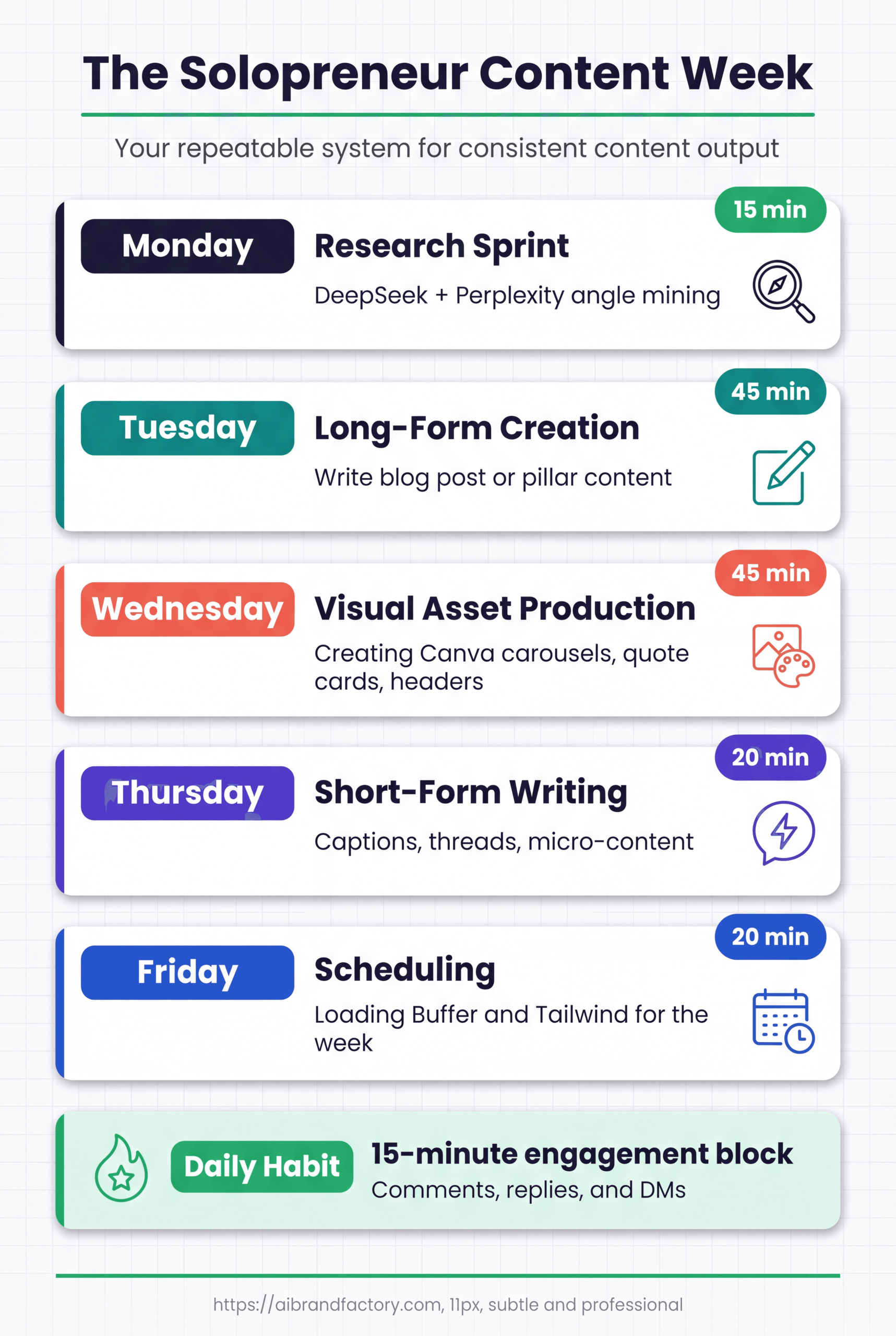
- Monday – Research: 15 minutes with DeepSeek and Perplexity produces your week’s content angles.
- Tuesday & Wednesday – Writing: One long-form piece per day using Claude or AI BrandFactory, 45 minutes each.
- Thursday – Design: Gemini and Canva convert the week’s writing into five visual assets per post, roughly 20 minutes per piece.
- Friday – Scheduling: Buffer and Tailwind load the week’s content across all channels in one 20-minute session.
Daily, you have one standing task. Fifteen minutes of community engagement – replies, comments, brief conversations – every morning before the day starts. This never gets skipped. Weekly, the batching model means you’re never in “what do I create today?” mode. The stage tells you exactly what you’re doing.
The 90 minutes feels like enough because it is enough. The system was built for one person with a real business to run.
Many solopreneurs find that a structured content marketing approach takes a significant amount of time each dayy – and that number holds when the four stages are properly batched rather than mixed together daily.Week one looks nothing like week four.
- Monday – Research: 15 minutes with DeepSeek and Perplexity generates your week’s content angles.
- Tuesday & Wednesday – Writing: One long-form piece each using Claude or AI BrandFactory, 45 minutes per session.
- Thursday – Design: Gemini and Canva turn that week’s writing into five visual assets per post, about 20 minutes per piece.
- Friday – Scheduling: Buffer and Tailwind push the week’s content across every channel in a single 20-minute block.
One standing daily task. Fifteen minutes of community engagement, replies, comments, quick conversations, every morning before anything else. Non-negotiable. The batching structure means you never wake up wondering what to create. Your stage answers that for you.
Ninety minutes works because the math is sound. This was built around one person running an actual business, not a content studio.
Many solopreneurs find that managing their AI content marketing tasks takes a significant amount of time each dayy, and that figure holds only when the four stages stay batched rather than tangled together each day.Week one looks nothing like week four.
Conclusion
Start with content pillars. Don’t touch a single AI tool until you’ve written down your three core topic categories and the audience problem each one solves.
That’s the one action.
One workflow stage per week from there. Week one is pillars. Week two is research tools. Week three is writing. Week four is design and distribution.
By week four, your AI content marketing system is running (research, writing, design, and scheduling all connected), and you’re spending 90 minutes a day instead of four hours of scattered effort. The content pillars you defined in week one are pulling the weight of a creative brief, a style guide, and an editorial calendar all at once. That’s what a system does. It makes the next action obvious.