
Instagram Carousel Strategy: How to Design Posts That Get Saved and Shared
What is a carousel on Instagram? It’s a multi-slide post where each swipe registers as a separate interaction, compounding your engagement signal with every slide viewed. Get the instagram carousel specs right, nail the hook, and build the right content structure. That combination separates carousels that spread from ones that stall.
This guide covers all three layers, in order.
Why Carousels Outperform Every Other Post Format on Instagram
Carousels aren’t just a format preference. They’re a structural advantage.
How Instagram Reads Swipe Depth as an Engagement Signal
Every swipe on a carousel registers as a separate interaction inside Meta’s engagement model. More swipes generate more time-on-post, which signals content quality to the algorithm. Higher time-on-post pushes your post into more feeds. This gives carousels multiple data points from a single piece of content, something a single image can never match.
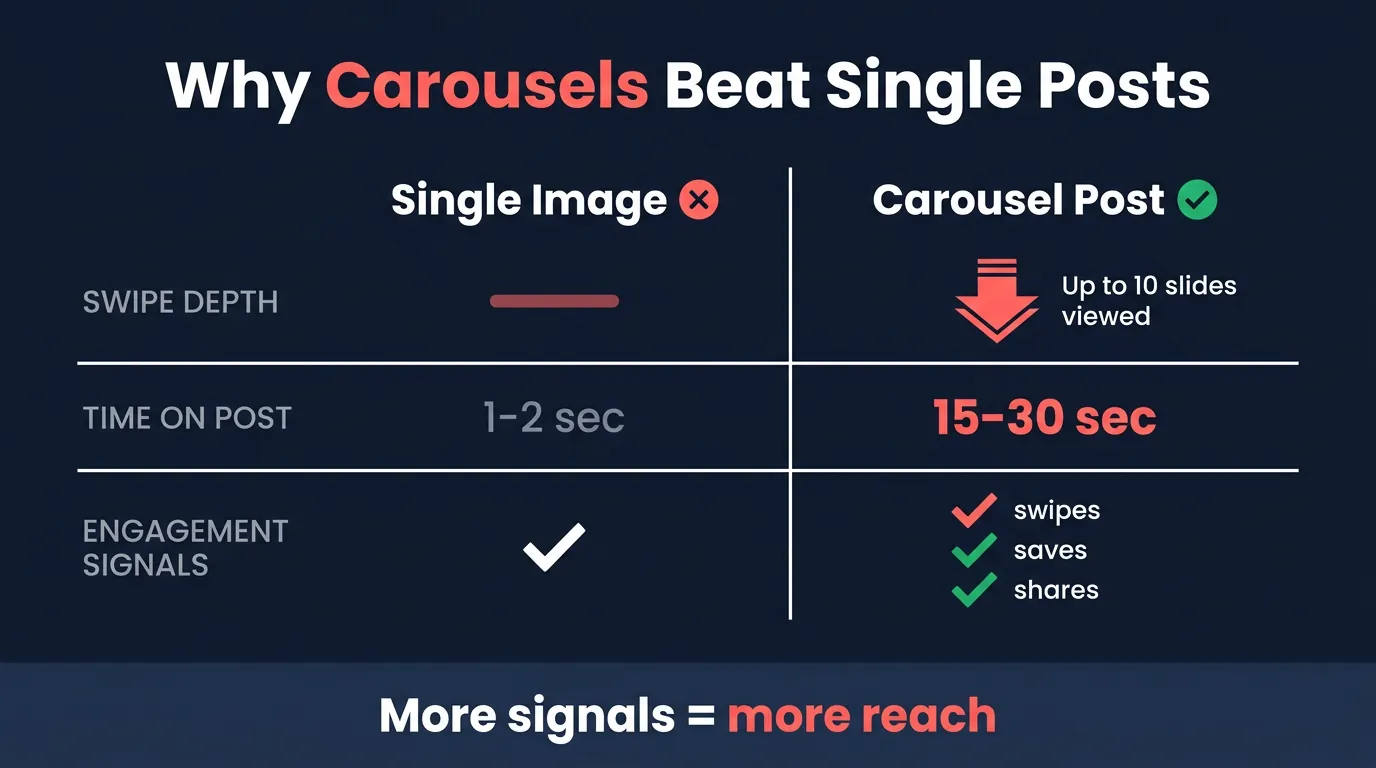
Instagram doesn’t just count likes. It measures how long someone stayed, how far they swiped, and whether they came back. Carousels produce more of those signals per post than any other feed format.
That’s a structural reach advantage worth building around.
The Save and Share Advantage Nobody Talks About
Instagram Carousel Specs You Need to Get Right Before You Design Anything
Wrong specs mean cropped visuals, blurry text, and a post that reads as amateur before a single word lands. Nail the technical foundation first. Everything else follows from there.
Wrong dimensions will cost you.
The Three Aspect Ratios and When to Use Each One
- 1:1 square (1080x1080px) – Safe and consistent across all placements.
- 4:5 portrait (1080x1350px) – The strongest feed choice for carousels, claiming maximum screen real estate as people scroll. That extra vertical space gives your content more visual weight before anyone moves past it.
- 9:16 vertical – Belongs to Reels-style content, not standard feed carousels.
For most carousel posts, 4:5 is the right call.
File Size, Slide Count, and the Specs That Actually Affect Performance
- Maximum slides: 10 per carousel post
- Optimal slide count: 7-10 slides for best swipe-through rate (fewer than 7 and you’re leaving engagement signals on the table)
- File size: Under 30MB per image – compress before uploading without sacrificing visible quality
- Minimum resolution: 1080px wide for sharp rendering across all devices
These are current Instagram carousel specs as of 2026. Platform requirements do change, so verify against Meta’s official documentation before your next production run.
Specs lock in your foundation. Design builds on top.
How to Build a First Slide That Stops the Scroll Every Time
Slide one is the highest-use element in any carousel. Full stop.
The Four Hook Formats That Consistently Drive Swipes
- Bold claim hooks – Challenge a common belief immediately, creating tension that makes swiping feel necessary.
- Curiosity gap hooks – Withhold one key insight until slide two or three, so the swipe feels like the only path to the answer.
- Numbered promise hooks – Set a clear expectation upfront – something like “7 steps to cleaner design” tells the viewer exactly what they’re getting.
- Before/after setup hooks – Establish a transformation on the first slide and make the outcome feel worth swiping to see.
Pick one per carousel. Don’t mix them on slide one.
What Your First Slide Design Must Do Visually
Limit slide one to a single headline and one dominant visual element. Clutter kills the hook before the copy gets a chance. Use high contrast between text and background so the message reads instantly, even at thumbnail size. A subtle swipe cue or directional arrow signals the carousel format to viewers who might not swipe by default. Visual clarity on slide one directly affects your swipe-through rate on every slide that follows.
The Five Carousel Content Formats That Get Saved and Shared Most
Not every content type pulls equal weight in carousel format. Some structures are built for saving. Others for sharing. These five formats consistently drive both.
Tutorials and Step-by-Step Frameworks Readers Save for Later
Tutorial carousels and named frameworks rank as the highest-saved carousel format across most niches. The structure stays simple: one step per slide, one clear action per step. That clean, scannable layout makes the full post worth saving as a reference. Named frameworks do something extra, though. They position the creator as an authority, not just a content source. (That distinction matters a great deal for long-term audience building.) When someone saves a framework, your name travels with the idea. The final slide should summarize the full framework as a standalone visual, so it holds value even without the preceding slides.
Before and After Comparisons That Prove Your Point Fast
Before/after carousels create immediate proof without requiring a lengthy explanation. Keep the “before” slide visually weaker. The contrast is what makes the “after” land. Add a third slide showing the exact change made. That explanation converts a demonstration into an educational moment, which raises share intent significantly.
How to Turn a Blog Post Into a 10-Slide Carousel Without Starting From Scratch
Blog-to-carousel repurposing ranks among the most efficient content moves available to marketers. Map the blog structure directly: the hook intro becomes slide one, each subheading gets its own slide. Compress each section down to one core insight and one supporting detail per slide. Maintain narrative flow from slide to slide so the carousel reads as a coherent argument, not a disconnected list.
AI BrandFactory handles this transformation directly, mapping structured blog content into carousel-ready sequences using 20 carousel types and 30 visual power-ups – a practical production system for marketers scaling carousel output without rebuilding from scratch each time. The same content framework that drives blog engagement maps cleanly to carousel slides because the underlying structure is identical: hook, supporting points, CTA.
Not a coincidence. A system.
Your Repeatable Carousel Production Framework
One great carousel is a win. A repeatable system is a strategy. The framework below works across every niche and every content type covered in this guide. Apply it to your next post, then the one after that. Consistency compounds reach over time in ways that one-off viral posts simply can’t replicate. That’s the actual long game with Instagram carousels.
Consistency beats brilliance.
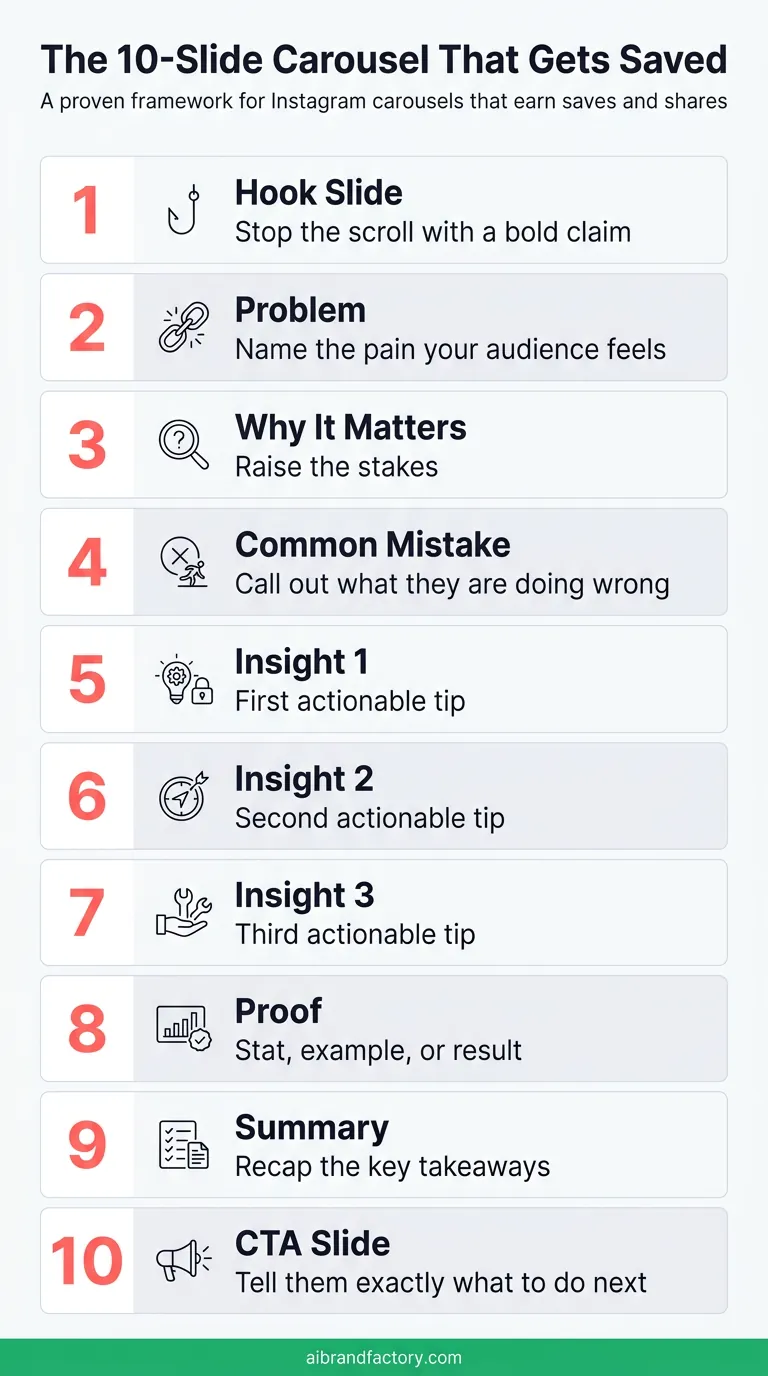
The Slide-by-Slide Structure That Works Across Every Niche
- Slide 1 – Hook headline and one dominant visual
- Slides 2-8 – One idea, one supporting point, and one visual per slide (no slide should try to do two things at once)
- Slide 9 – Summary or key takeaway recap
- Slide 10 – Direct CTA
One format. Infinite topics.
Where to Place Your CTA and Why Most People Get It Wrong
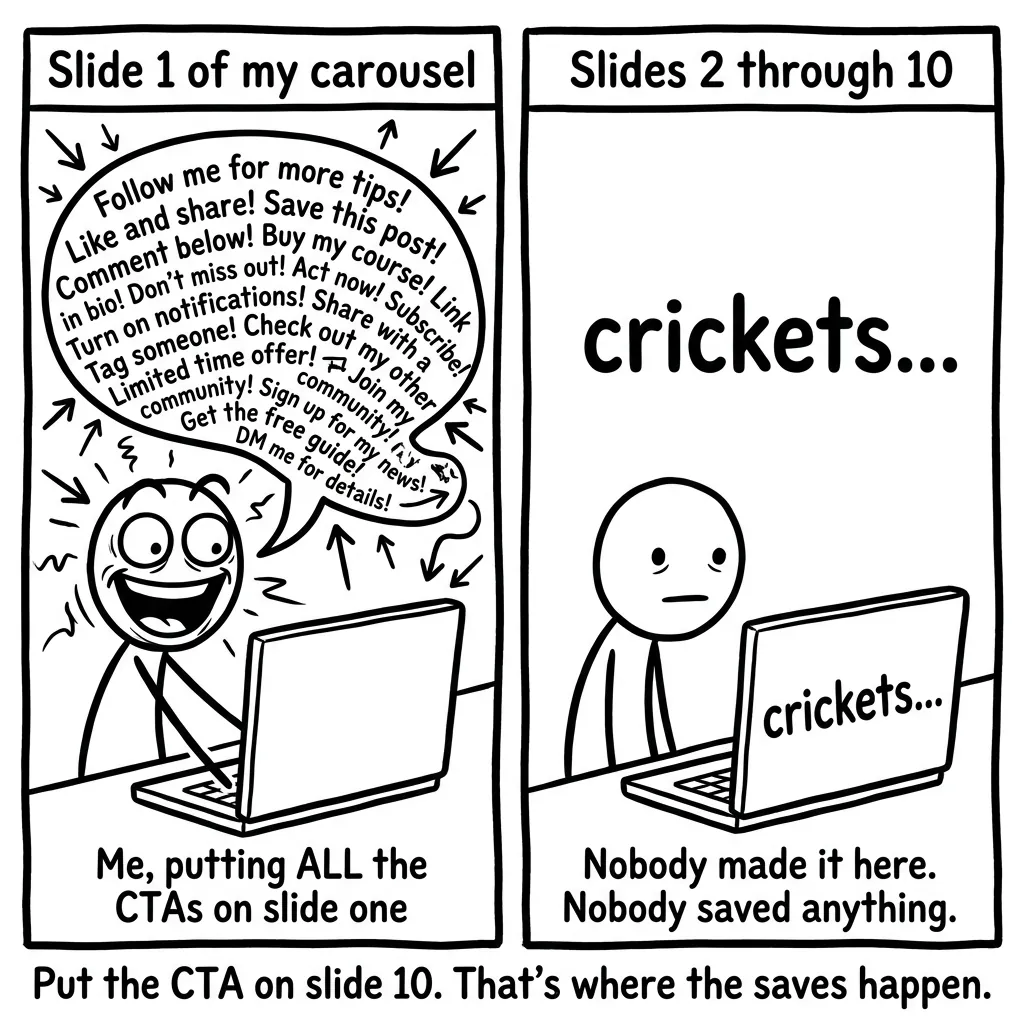
Putting the CTA only on slide one is a common mistake. Users who swipe all the way to slide 10 are your highest-intent audience. Their conversion rate on a final-slide CTA runs significantly higher than on any earlier slide. Drop a soft CTA around slide 5 to capture partial swipe-throughs who don’t reach the end. Keep CTA copy direct and single-action. One ask per carousel.
Conclusion
The 7-10 slide range paired with a strong first-slide hook is your best starting point in carousel post design.
Grab one existing piece of content this week and run it through the slide-by-slide framework. The Instagram carousel strategy only produces results when you actually build the carousel.